
Top ChatGPT Features 2026
Most people use ChatGPT like a souped-up Google search. Question in, answer out, done. For agency owners and SMEs, that is not just wasted potential, it is a genuine competitive disadvantage. Because ChatGPT is neither a text generator nor a chatbot in the classical sense.
It is a cognitive work system that connects thinking, analyzing, structuring, and executing. Those who merely ask it questions get answers. Those who use it properly build themselves a digital co-worker that frees up hours every day.
Below you will find 20 features. Every one of them is available today. Every single one can meaningfully change your daily working life.
Alongside the right use of ChatGPT, we also develop tailored Custom GPT solutions for companies that are precisely aligned to internal processes, data, and use cases, and deployed as genuine digital co-workers in everyday operations.
Book your free initial consultation now: https://calendly.com/apex-consulting-call/ki-beratung
1. Research Mode: ChatGPT stops answering and starts thinking
Research Mode is the most important feature for entrepreneurs and decision-makers. Here ChatGPT no longer reacts to individual questions but treats your request as an analytical problem. It breaks your question down into sub-questions, examines dependencies, identifies blind spots, and structures the results logically.
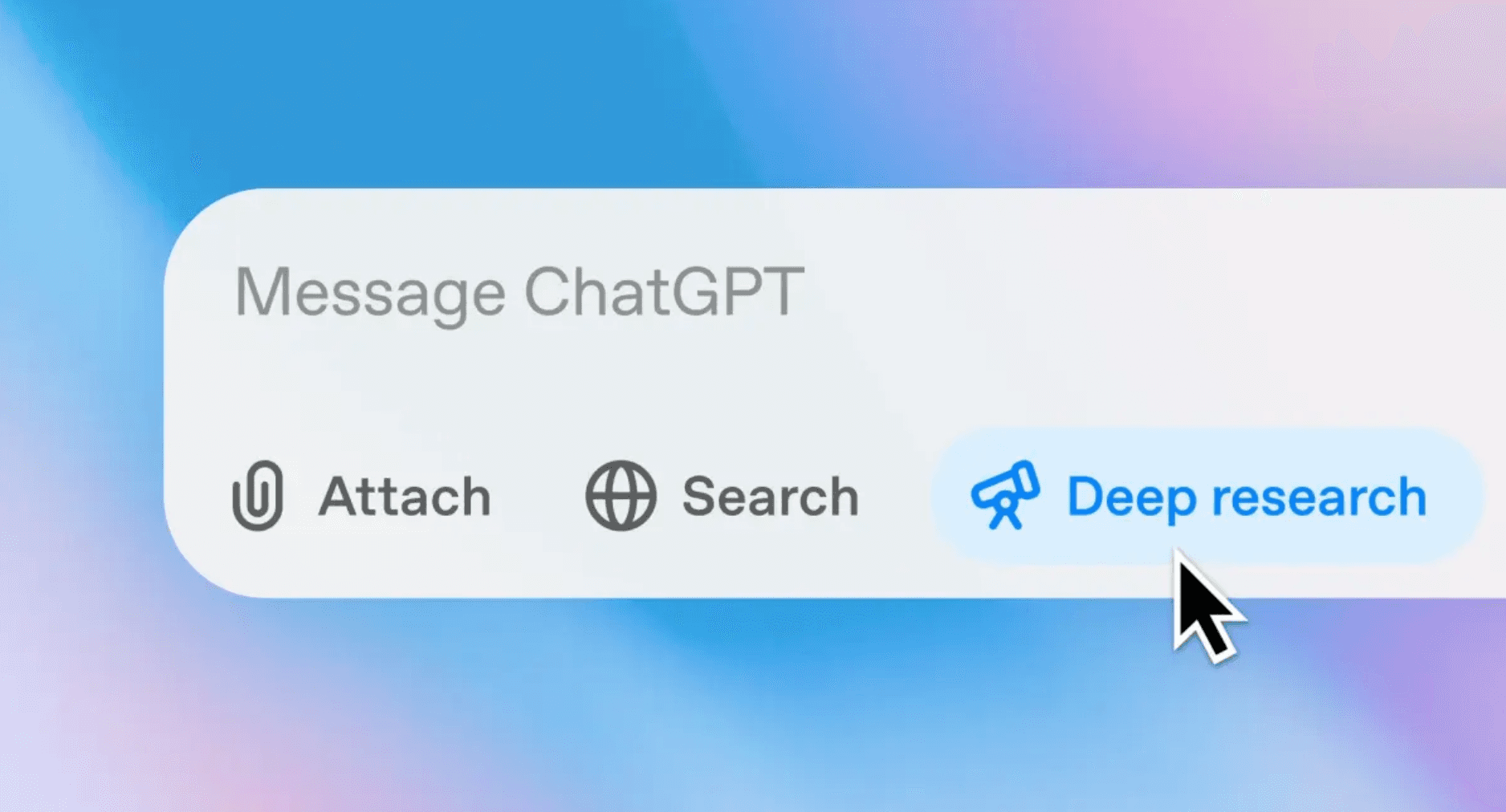
The Deep Research mode transforms ChatGPT from a reactive answer machine into an analytical work tool. Rather than quick individual answers, it produces structured research, prioritizes information, and thinks in multiple stages. Particularly for agency owners and SMEs, this is ideal for making well-founded decisions based on clean analysis.
For agency owners, this means that instead of "What could we be doing better?" you receive a clean analysis of your situation. Time drains, bottlenecks, structural problems, and levers are not only named but also contextualized. The output does not feel like a chat but like an internal memo or strategy document that you can use directly for decision-making.
2. Prompt template libraries for standards and recurring tasks
With predefined prompt templates, you can use ChatGPT not just once but standardize regularly recurring processes. Instead of formulating every prompt from scratch, you select from a collection of ready-made templates for SEO texts, pitch emails, or social posts and make only minor adjustments. This saves time, ensures consistency, and reduces errors.
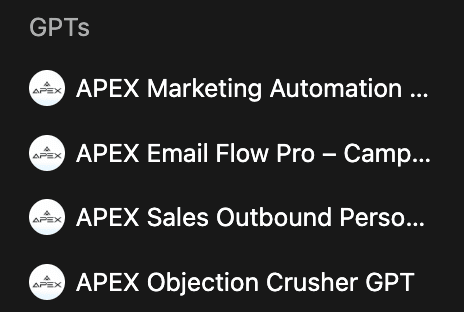
Custom GPTs turn ChatGPT into specialized co-workers for clearly defined tasks. Rather than prompting from scratch each time, agencies and SMEs draw on trained assistants for marketing, sales, or objection handling. This delivers consistent results, faster workflows, and significantly less manual thinking in day-to-day operations.
Example: one of our clients feeds a blog post template prompt list into ChatGPT and systematically generates new articles by simply swapping the title and target audience, rather than thinking from scratch each time.
3. Study and workshop mode for targeted learning and onboarding
Study Mode guides you or team members step by step through a topic or problem area with explanatory questions, hints, and tests. This is useful not only for students but also for onboarding new team members or client workshops.
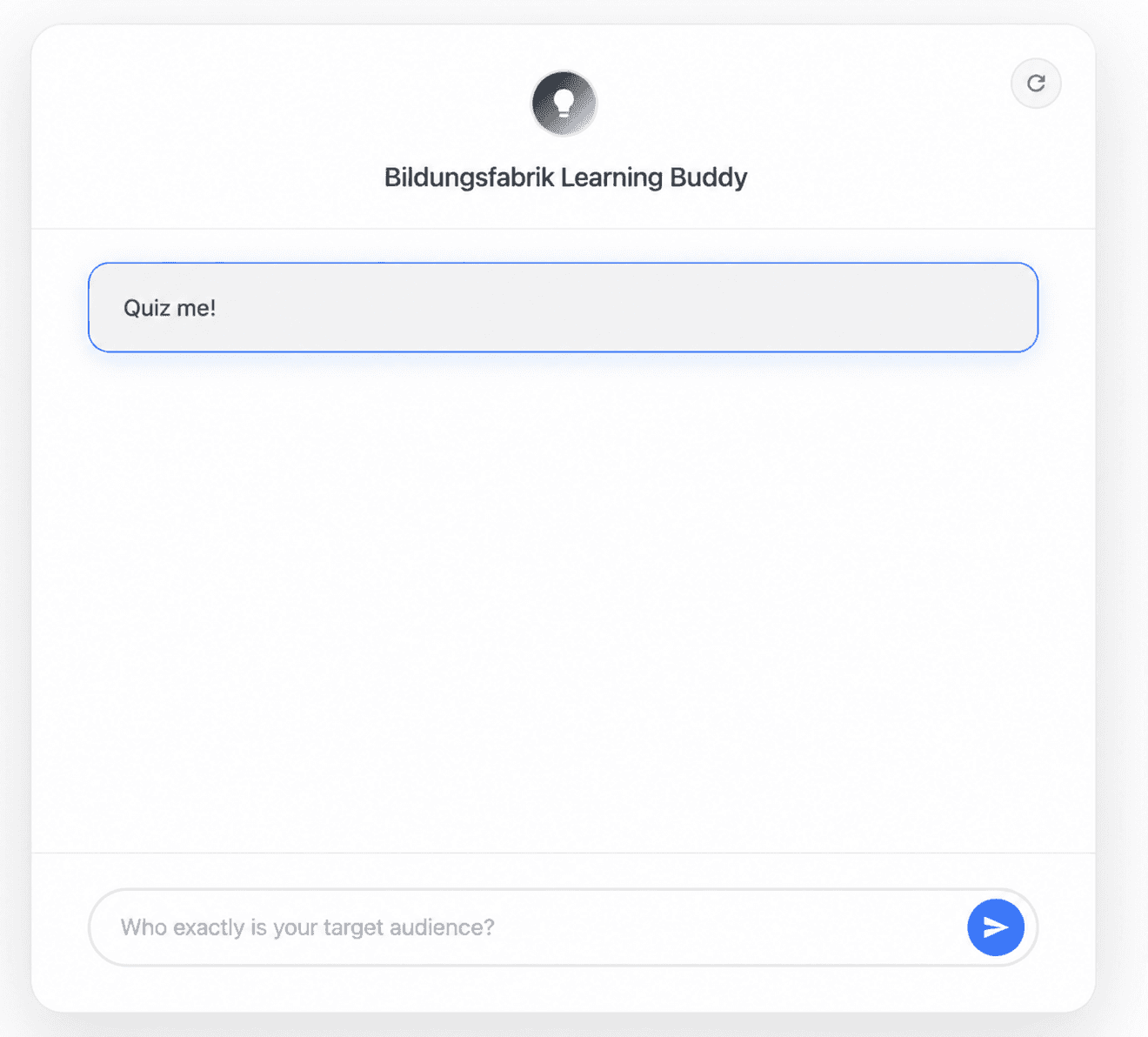
The AI learning buddy we developed (also known as the "Bildungsfabrik Learning Buddy") was trained exclusively on the course materials of Bildungsfabrik. It helps you consolidate content in a targeted way, practice exam questions, and apply your knowledge with confidence.
Example: during onboarding of a new employee, you give ChatGPT a script about your CRM tool and let it explain, quiz, and illustrate connections in Study Mode, functioning like a digital tutor.
4. Projects: intelligent workspaces for recurring topics
Projects bundle all relevant chats, files, prompt rules, and contexts in one place. Particularly for long-term clients, campaigns, or strategic topics, this creates organization rather than chaos.
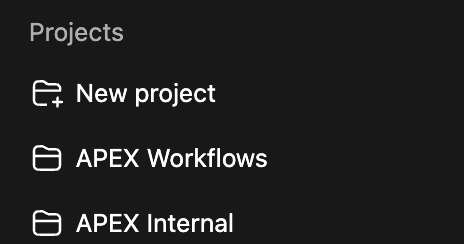
Projects bundle chats, files, and rules in one central location. This means you no longer work in isolated conversations but in clearly structured workspaces for internal topics, client projects, or recurring workflows.
Example: a CRM project contains all campaign chats, personas, target audience databases, and briefing templates, all readily accessible without lengthy searching.
5. Agent mode: ChatGPT thinks and acts like an employee
Agent Mode goes beyond standard answers. ChatGPT can independently work through complex research, planning, or tasks. You give it a broader goal, and the agent works through it step by step.
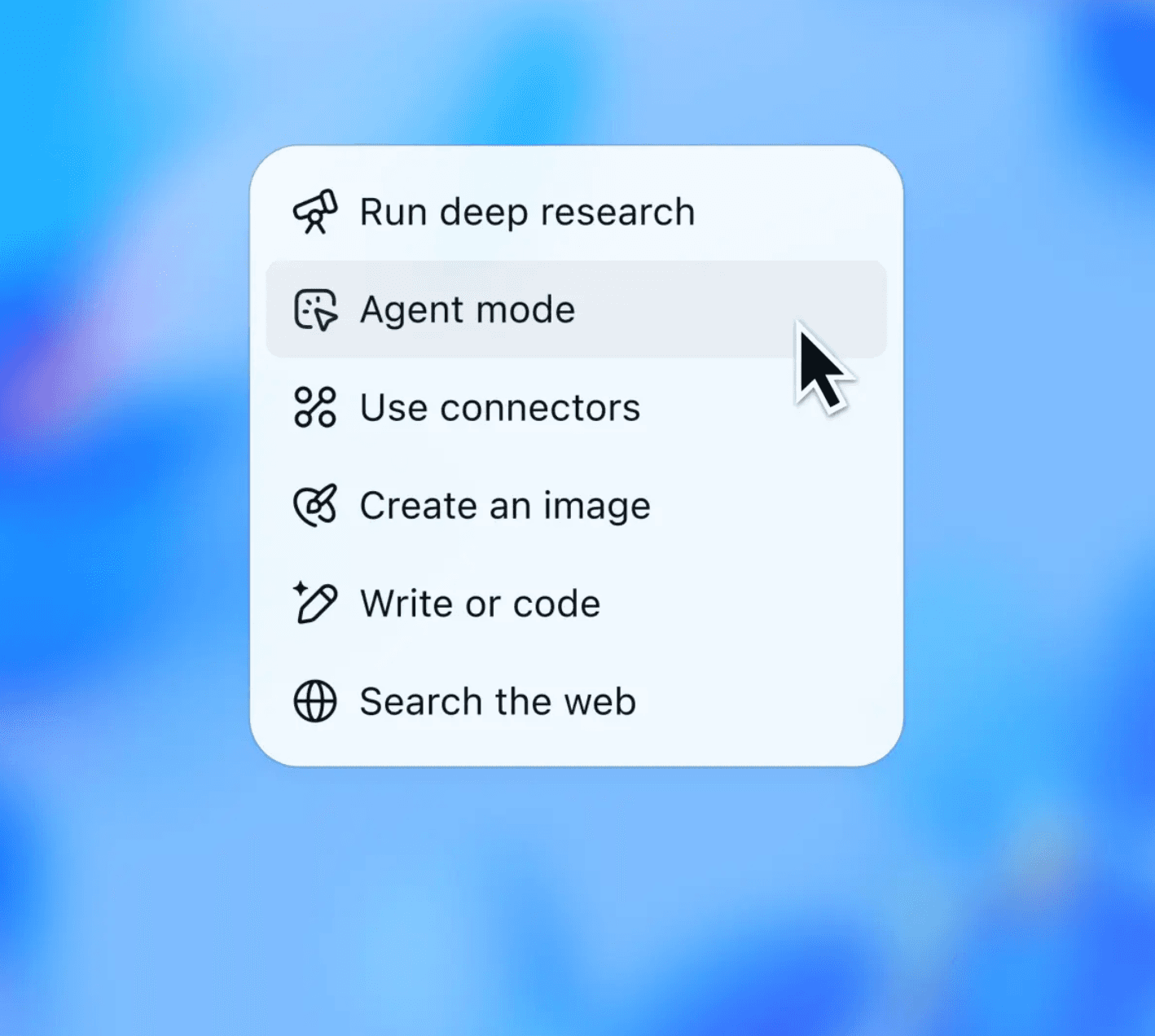
Agent Mode extends ChatGPT with active work functions. Rather than just delivering answers, the AI can research, plan, incorporate external sources, and execute tasks step by step independently. Particularly for complex research, analyses, or recurring workflows, this delivers a clear productivity gain.
Example: ChatGPT can prepare a complete competitive analysis, with source references, structured evaluation, and a list of measures, without any duplicated manual web searching.
6. Web browsing for current and data-based answers
When you use ChatGPT with web access, you get answers based on current data rather than just the training state from 2023. This makes it ideal for market trends, competitive data, or real-time fact-checking.
Example: "Show me current LinkedIn statistics on AI usage in the DACH region" and ChatGPT delivers linked results including a brief analysis.
7. Memory function: ChatGPT remembers your style and context
The Memory function ensures that ChatGPT recognizes your recurring preferences, such as writing style, tone, or standard processes.
Example: you say once "always answer factually and concisely," and from the next chat onwards ChatGPT automatically delivers in that style.
8. Live web search with source references
Deep Research actively searches the web and creates structured results including source references, similar to a professional literature or market analysis, but in minutes rather than days.

The integrated search function connects ChatGPT with current web content. This means you receive researched answers with current context and sources rather than generic knowledge. Ideal for market analyses, competitive research, and fact-based business decisions.
Example: you have ChatGPT research "all relevant studies on AI automation in marketing" and receive consolidated findings with linked sources.
9. Vision and multimodal input: understanding not just text but images
ChatGPT can analyze and interpret images and work with you on the basis of visual data. This extends classic text-based tasks with visual inputs.
Example: you send a photo of a whiteboard from a workshop, and ChatGPT creates clean structured text documentation from it.
10. Audio and voice mode: freedom from typing
The voice function enables dialogic interaction without text. You can dictate ideas verbally while in the car, on a walk, or in meetings, and ChatGPT responds in natural language.
Example: you dictate tasks or meeting notes diary-style, completely without typing.
11. Table and data analysis
ChatGPT can analyze data directly. You upload Excel tables, for example, and ask for KPI trends, variance analyses, or chart examples. Extremely valuable for reports and data insights.
Example: upload a revenue Excel file and have monthly and annual comparisons with graphics created automatically.
12. Structured output formats: JSON, tables, checklists
ChatGPT can deliver results not only narratively but structured for further processing, for example as a table, JSON feed, or checklist.
Example: you ask "Give me a JSON table of all notable KPIs from the last marketing campaign" and receive it ready for further processing.
13. Reverse prompting: ChatGPT drafts your input for you
Instead of writing to ChatGPT, you say "Ask me the questions you need to solve this problem correctly." ChatGPT first generates the perfect input question list for you.
Example: for a complex project briefing, ChatGPT first formulates the right guiding questions and only then the solution.
14. Prompt quality assurance: hidden checklist mode
You can give ChatGPT internal rules such as "Check every answer for comprehensibility, logic, and completeness before outputting it," functioning almost like an invisible QA process.
Example: you have answers filtered through a "7-point quality check" before you receive them.
15. Working with plugins and tools
ChatGPT enables the use of third-party plugins or tools directly in the chat, for example for scheduling, data queries, CRM integration, or external data exchange.
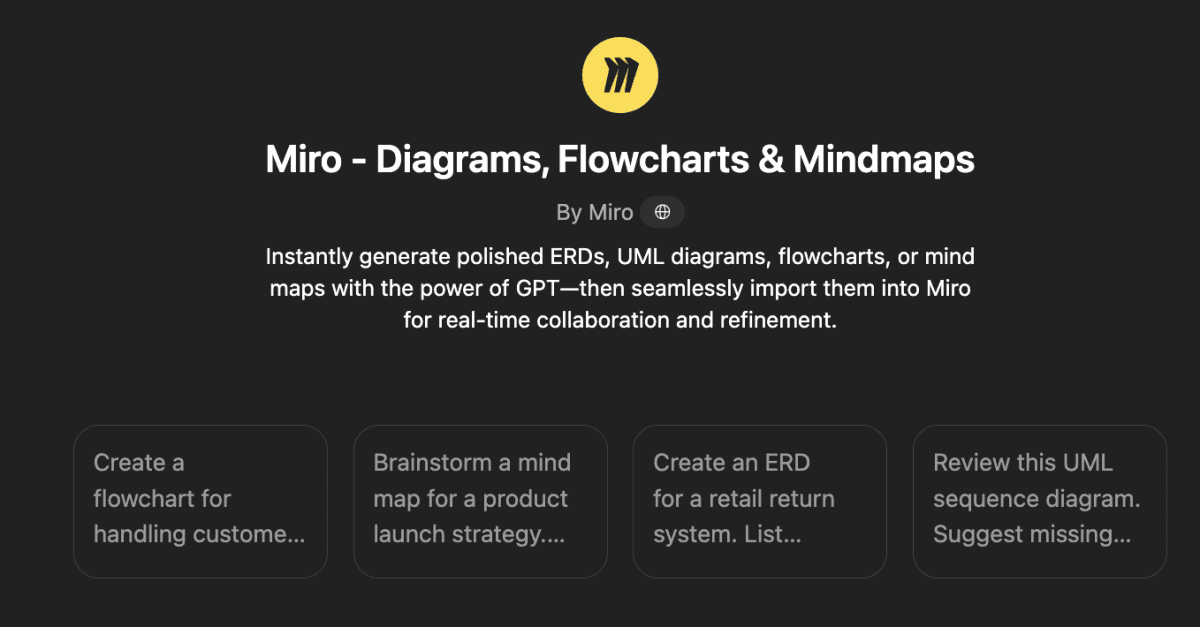
Via third-party connections such as Miro, ChatGPT can be integrated directly into existing work and collaboration tools. This means diagrams, flowcharts, or mind maps are no longer created manually but AI-supported and immediately reusable by the team. This significantly accelerates planning, coordination, and execution of complex processes.
Example: you can create a calendar appointment or update a CRM record directly from within ChatGPT.
16. Focus and task definition via role prompting
You can address ChatGPT as a "sales assistant," "project manager," or "growth strategist." Depending on the role, the perspective of the answers varies.
Example: "Respond as a sales manager with a focus on lead conversion optimization" and you receive more specific results.
17. Automated content planning
ChatGPT can not only generate posts but create complete editorial plans with topic clusters, publication timeframes, and target audiences.
Example: "Create an editorial plan for LinkedIn with 12 posts on the topic of AI automation," including headlines, CTAs, and hashtags.
18. Negotiation texts and email strategies
ChatGPT can not only create texts but develop strategies for negotiations, responses to sensitive client emails, or escalation communications.
Example: "Respond to this complaint in a way that keeps the possibility of a follow-on order open."
19. Risk analysis and scenario planning
You enter a risk scenario ("What happens if...?") and ChatGPT lists possible consequences, likelihood of occurrence, and countermeasures.
Example: "What happens if our website is offline for 48 hours?" including a communication and recovery plan.
20. Image generation and editing: GPT Image
ChatGPT's new image AI makes it possible to create visual content or edit existing images directly.
Example: you provide a rough visual idea ("modern office for a website header") and immediately receive eight finished image variants to choose from.
About APEX Consulting
APEX Consulting is an AI automation and growth consulting firm supporting B2B organizations with intelligent workflows, AI agents, CRM automation, and scalable operating systems. The firm focuses on practical, implementation-driven solutions that reduce manual effort and enable sustainable growth.
More information: https://apex-consulting.ai/