

Cowork: Your First Personal AI Employee
Imagine an AI that organizes your files and also takes over complete workflows, from the research stage all the way to a finished newsletter issue. Does that sound like something from the distant future? With Claude Cowork, that future has already arrived.
At APEX, we predict massive adoption in 2026, because this tool goes far beyond simple chatbots: agents access your software, automate processes, and learn your individual workflows. If you want to work more productively without constantly jumping between tools, you should keep reading.
The decisive difference lies in how Cowork operates. It acts like a digital employee that takes ownership of tasks, plans ahead, and carries them out directly on your computer and within your software landscape, which takes it well beyond the question-and-answer role of classic AI assistants.
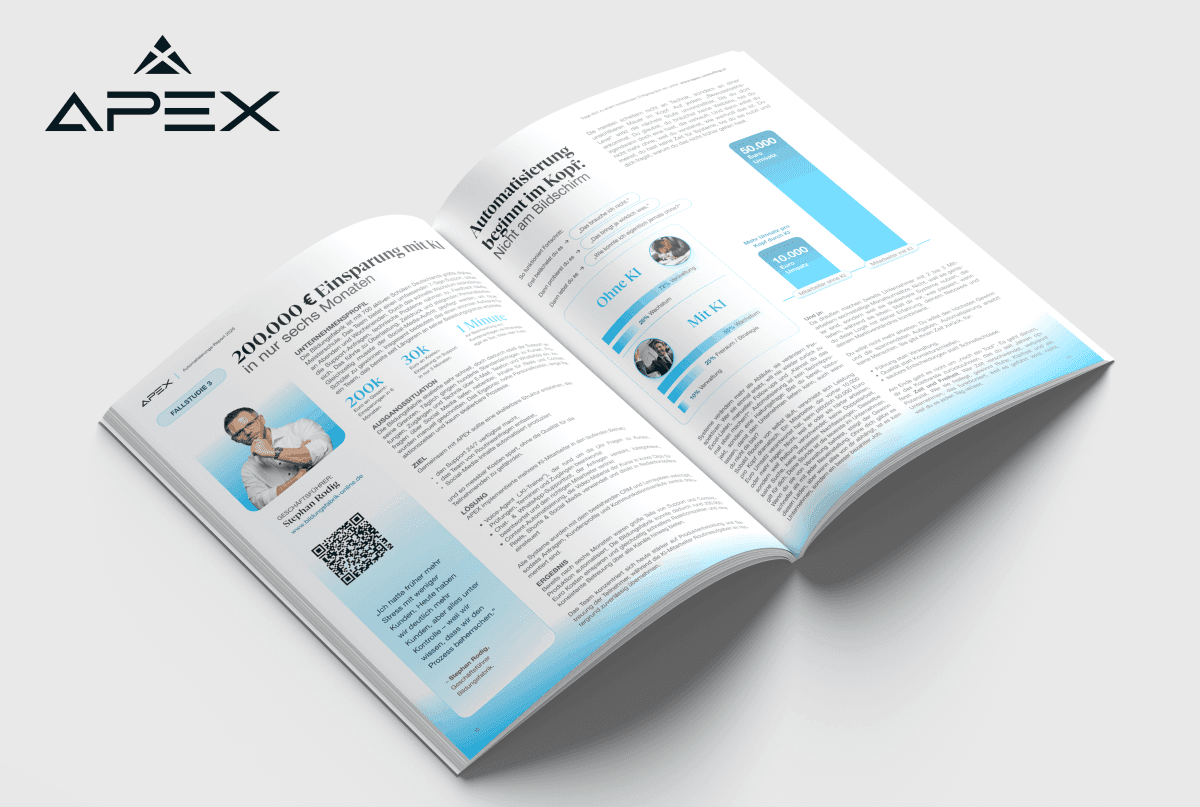
The AI report for companies that want to scale their processes and put real action behind the conversation. Message me on Instagram @jousefmrd for access.
What Sets Claude Cowork Apart from Other AI Tools
Claude Cowork marks a paradigm shift in the way we work with artificial intelligence, moving well beyond what existing AI chatbots have offered so far. The fundamental difference is that Cowork can take action on your behalf in addition to giving advice.
The most important differences at a glance:
Claude (classic): Ideal for brainstorming and question-and-answer scenarios
Claude Code: Optimized for developing production-ready applications
Claude Cowork: Specialized in everyday office tasks and recurring workflows
What makes it special is that Cowork has advanced planning capabilities. Before it carries out a task, it develops a structured plan and works through it step by step in a transparent and traceable way.

Claude.ai Copywriting 101 is part of our LearningSuite and shows you how to use AI in a targeted way to create high-converting copy. You will learn how to write precise prompts, reach your target audiences more effectively, and scale your content faster. It is ideal for teams that want to set up their marketing and sales in a more efficient and data-driven way.
The Three Core Technologies That Make Cowork So Powerful
1. File Access and Organization
Claude can access folders on your computer directly. You grant it access to a folder, such as your chaotic downloads area, and the AI automatically sorts everything by file type, creates subfolders, and tidies up. This may sound simple, but it has enormous potential, because you can create dedicated folders containing context about your business, such as your target audience, your tone of voice, or your products. Cowork draws on them whenever needed, so you never have to explain everything from scratch each time.
2. Software Connectors and MCP Servers
Cowork connects to your entire software landscape. In the settings, you will already find ready-made connectors for common tools. If your software is missing, you can use what is known as an MCP server (Model Context Protocol), a standardized interface that you can configure manually. Simply search Google for “[Your Software] MCP Claude” and you will usually find a guide.
If no suitable interface is available, the third option comes into play, which is Browser Use. With this feature, Claude controls your browser as if you were sitting at the computer yourself. It navigates to websites, clicks through pages, and carries out research, all automatically and in the background.
3. Claude Skills: The Game Changer
This is where things get really exciting. Skills are saved workflows with specific instructions, process steps, and knowledge sources. Think of them as tailor-made mini programs that you can call up again and again.
The decisive advantage over Custom GPTs or Projects is that you can use several skills within the same context. One skill helps you with the YouTube title, the next with the intro, and another with creating the newsletter, all within a single workflow and without having to switch between different tools. On top of that, the knowledge sources are only loaded when the respective skill is active, which prevents information overload and keeps the AI focused.
How to Get Started with Claude Cowork
Before you can get started, you need two things:
A Claude Pro, Team, or Enterprise subscription (the free version does not support Cowork yet)
The Claude desktop app (Cowork does not run in the browser)
Once you have both, you will find Cowork as the second tab in your desktop app, right next to Claude Code.
Three Ways to Use Skills, from Beginner to Pro
Option 1: Using Claude’s Prebuilt Skills
The easiest way to get started is with the ready-made skills that Claude already provides. In the settings under “Capabilities,” you will find examples such as the Canvas Design skill or the MCP Builder. To use one, you simply say: “Please load the Canvas skill.” Claude will then ask you questions, develop a plan, and create something like a website banner based on your specifications.
Option 2: Using Skills from the Community
The second option offers a much wider selection, since several skill marketplaces already exist with thousands of prebuilt workflows:
smithy.ai/skills, with more than 14,500 skills
skillhub.com, with skill collections sorted by topic
skillsmcp.com, with specialized skills for marketing, development, and more
Here is a practical example. You look for a skill for writing Meta ad copy, download the ZIP file, and import it into Cowork via “Add” → “Upload a Skill.” After that, you simply say: “Write Meta ads and use the skill for it.” Claude asks you structured questions about your target audience, your campaign objective, and the number of variants you want, and at the end it delivers a finished Word document with primary text, headlines, descriptions, and CTAs.
The real advantage is that you can give the skill additional context by attaching files about your business, your target audience, or your tone of voice. The more context you provide, the more precise the result will be.
Option 3: Creating Your Own Skills, the Ultimate Discipline
This is where Cowork unfolds its full potential, because you can turn any recurring workflow into a skill. Best of all, you do not need to know how to code.
Method A: Do It Once, Then Save It
Go through a process manually with Claude once, for example turning a YouTube video into a newsletter:
You give Claude the YouTube link and say: “Go to this website and download the transcript.”
Claude uses the browser, downloads the transcript, and saves it.
You say: “Write a newsletter based on it. Use my context files on tone of voice and target audience. Work step by step, starting with five subject line suggestions, then hook options, and then the text.”
You work through the process together.
At the end, you say: “Create a skill from this workflow.”
With that, your skill is ready. The next time, all you need to say is “Turn this YouTube video into a newsletter,” and Claude will run the entire process automatically.
Method B: From Existing Projects or Custom GPTs
If you already have Custom GPTs or Claude Projects with system prompts, you are in a great position. Copy the system prompt, add the knowledge sources you used, and say: “Create a skill from this.” Claude will build a working skill for you that you can use right away.
The added benefit is that you can combine several of these skills in the same chat. Where you previously had to jump back and forth between different projects, everything now runs in a single flow of work.
Why Skills Outperform Custom GPTs and Automations
Skills are especially strong for tasks that require human interaction. Many workflows, such as content creation, presentations, and social media posts, are context-dependent and iterative, which means they rely on feedback loops.
Classic automation tools like Make or n8n are often too rigid for this kind of work, since you have to switch between different interfaces or restart the entire process from the beginning whenever you want to change something. Skills offer structured flexibility, because the process is clearly defined while still allowing you to step in, adjust, and iterate at any time.

While others are still debating AI, we are already saving our clients 20 hours per week. Our case study with Aramaz Digital shows what happens when automation moves beyond the buzzword stage and becomes part of daily operations.
More Practical Features for Everyday Work
Code Execution for Specialized Tasks
Cowork can execute code, although it uses it differently from Claude Code, which builds entire applications. In Cowork, you use code for specific tasks:
Data visualization: “Take this Excel spreadsheet and create charts from it.”
Batch image processing: “Change all images in this folder to a 16:9 format.”
File conversion: Automatically converting files from one format to another.
You do not have to write any code yourself, because Claude handles that for you and you only need to provide the instruction.
Browser Research in the Background
One feature that is often overlooked is that you can work on other tasks in parallel while Claude researches in the browser. For example, you might say: “Research the top 10 use cases for Cowork on X.” Claude then opens the browser, scrolls through the posts, and gathers information while you are already starting your next task.
Notion Integration for Seamless Workflows
Here is an example from practice: after creating a YouTube title and thumbnail, Cowork automatically updates your Notion database. You can build integrations like this directly into your skills, for instance with the instruction: “Once the title is finished, update the Notion pipeline with the title, thumbnail concept, and date.”
This keeps all your tools in sync without you having to copy and paste anything manually.
Practical Tips for Professional Use
Create Context Folders
Create a root folder with subfolders for:
ICP and target audience
Tone of voice and brand personality
Product descriptions
Successful examples (newsletters, posts, and so on)
Give Cowork access to this folder so that the AI always has the right context at hand.
Improve Skills Iteratively
Start with a simple skill and expand it over time. After each run, ask: “What could be optimized?” This way, you gradually develop highly precise workflows.
Combine Multiple Skills
Use different skills in the same chat, for example: “Use the research skill to find topics, then the writing skill for the draft, and finally the SEO skill for optimization.”
Customize Marketplace Skills
Download a skill from the community, test it, and then say: “Adapt this skill to my needs.” You can then add your own knowledge sources or modify the process to fit the way you work.
Conclusion: The New Era of AI-Powered Work
Claude Cowork represents a fundamentally new approach that reaches well beyond the scope of a typical AI tool. It brings your apps, Custom GPTs, and automations together in one central interface that adapts to the way you work, so you no longer have to juggle between dozens of separate solutions.
The most important takeaway is that skills make the difference. They turn one-off processes into repeatable, optimizable workflows while preserving the flexibility that creative work requires.
Your next step is to pick a task that you do regularly and that involves several steps. Go through it once with Claude and have it create a skill from the process. You will be surprised by how much time you save the next time around, and by how much better the results become when the AI truly understands your process.
Try it out today, since the future of work has already arrived well ahead of 2026.
About APEX Consulting
APEX Consulting is an AI automation and growth consulting firm supporting B2B organizations with intelligent workflows, AI agents, CRM automation, and scalable operating systems. The firm focuses on practical, implementation-driven solutions that reduce manual effort and enable sustainable growth.
More information: https://apex-consulting.ai/