
Learnings from over 100 AI projects
Across well over a hundred AI automation projects with small agencies, mid-sized companies, and industrial corporations like Siemens, we have seen the same pattern time and again: the fairest diagnosis for inefficient processes is the export button.
The export button theory states that every time you have to export data from a system, there is a structural problem behind it.
Whether a startup, a trade business, an e-commerce agency, or a global manufacturing giant, the export button is everywhere a symptom of the same thing: the system does not cover the actual need and forces people into manual work.
Whether it is a CSV from the CRM, an Excel download from Meta Ads, or even index cards from a filing cabinet in a long-established business, the export is always the same signal: work is being created here that should not need to exist.
This is exactly where AI and n8n come in. They close the gap between digital tools and the actual workflow. And they do so reliably, scalably, and without manual follow-up.
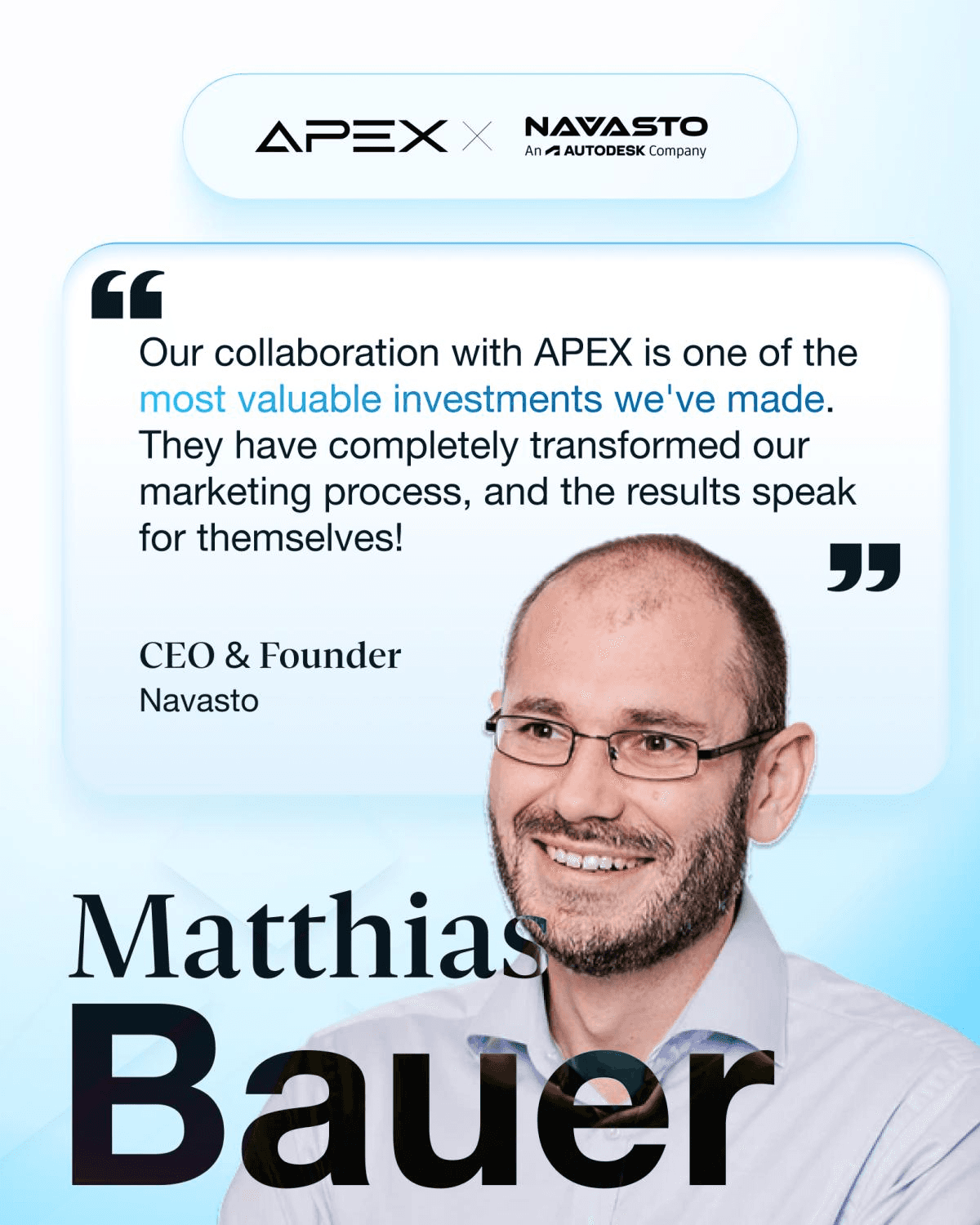
"In just three months of working with APEX, we produced more marketing material than in the entire history of Navasto. The quality was higher than what I could have achieved myself, and in a much shorter time." Matthias Bauer, CEO of Navasto
What the export button really says about your company
When you export data, you never do it for fun. You do it because your system is not delivering what you need. Either reports, features, interfaces, or automations are missing.
The export button is therefore not a feature. It is a warning signal.
And it reveals three things:
The process is not integrated.
You have to take over the next step manually.
That manual step repeats itself and costs money.
A real-world example: a mid-sized mechanical engineering company had been exporting Excel lists from its CRM for years in order to manually compile visit reports. When we examined the process, it turned out that the export file only existed because nobody in the CRM knew how to create reports that contained not just data, but also interpretations.
An AI solves that today in seconds.
Or a classic from the SME world: a business had been maintaining customer information on index cards until recently. The "export" consisted of typing out faded handwriting. When the managing director wanted a quarterly report, an employee needed almost an entire day. That work is now an n8n workflow that collects all data from a digital form, categorizes it, and evaluates it automatically.
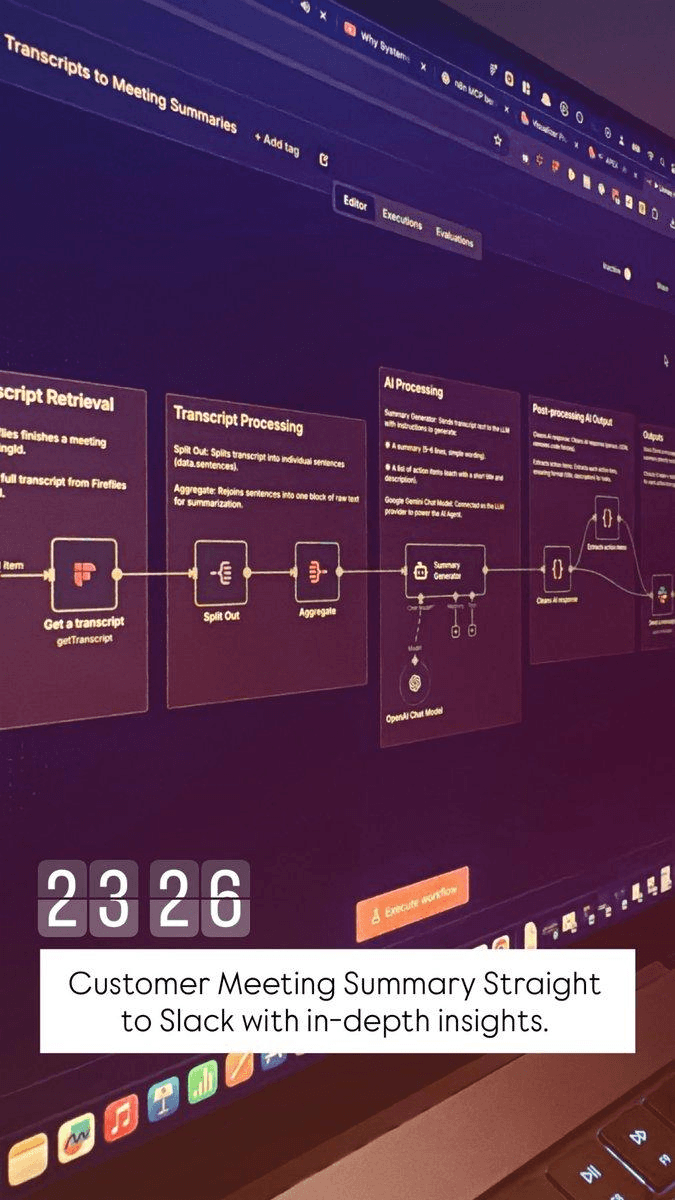
I regularly share content on the best workflows for agencies and SMEs. Source: https://www.instagram.com/jousefmrd/
How AI and n8n make the export redundant
Modern automation works in two stages:
n8n builds the workflow: It connects tools, APIs, and data sources, and executes steps reliably and without errors.
AI takes over the thinking: It interprets texts, classifies data, evaluates leads, analyzes trends, or drafts summaries.
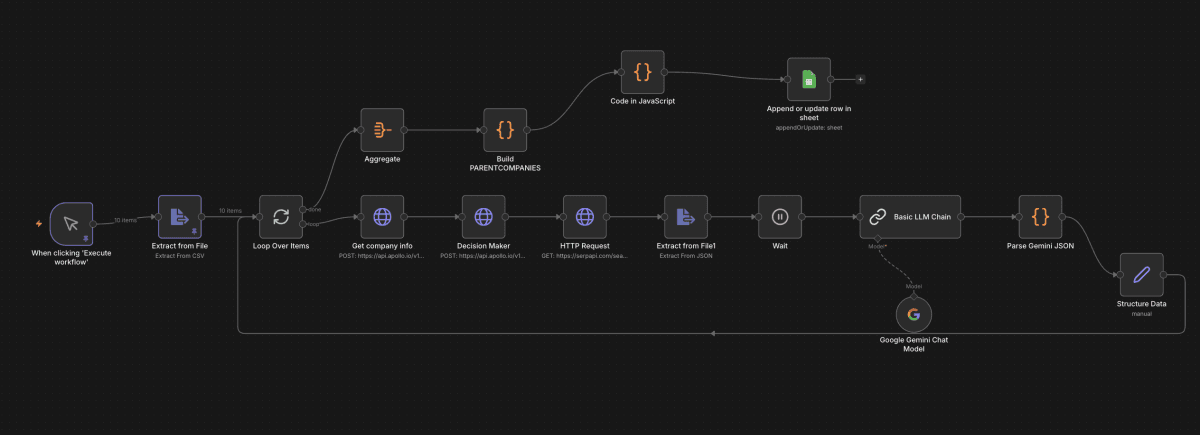
Highly simplified lead research and qualification workflow in n8n
The result is a process that does not export data, but understands, enriches, and processes it.
So you know exactly how these building blocks work, here are the most important modules as we use them in real projects.
AI lead enrichment: how we intelligently enrich leads
In the classic lead export, you pull names, email addresses, company details, and phone numbers from your CRM and then do manual research.
With AI lead enrichment, a workflow takes over exactly that:
The AI retrieves additional company data from relevant sources such as the company register, Northdata, Google, LinkedIn, Crunchbase, Coresignal, and 50+ further data sources
Our "APEX Lead Qualification Engine" evaluates industry, headcount, purchasing power, website quality, and potential pain points
It formulates a precise lead summary for your sales team
It fills in missing fields and updates everything directly in the CRM
You no longer export. You receive leads that have already been understood.
AI Insight Generator: how AI creates meaningful reports
Normally you export data from ad accounts, web analytics, or shop systems and then build your own tables and charts.
The AI Insight Generator works differently:
n8n automatically collects all relevant data from Meta Ads, Google Ads, LinkedIn, or your CRM
The AI analyzes developments, deviations, trends, and root causes
It writes clear, readable performance reports including recommendations
The workflow creates a PDF or a Google Slides deck and places it directly in the correct folder
Optionally, a team member (human in the loop) can approve the data directly via email and the workflow handles everything on its own
You do not explain the numbers. The numbers explain themselves.
AI Resume Parser: how we take manual pre-screening off HR's plate
In HR, you often export applicant profiles to compare CVs or create evaluation lists.
The AI Resume Parser works like this:
n8n automatically receives applications from forms or emails
The AI extracts skills, tools, professional experience, seniority, and potential fit
Applicants are automatically categorized (e.g. A, B, C)
The system creates structured profiles in the HR tool and notifies the recruiting manager
No Excel, no manual pre-selection, no export lists.
AI Qualification Score: how we evaluate leads objectively
Instead of manually scoring lead lists after exporting them, the AI handles the entire qualification.
Here is how it works:
The AI analyzes company data, website, size, technologies, and the lead's position
It recognizes patterns that indicate readiness to buy
It assigns a score from 0 to 100
The rating is saved directly in the CRM without touching a single file
AI Follow-up Generator: how you send personalized emails without exporting
Sales teams often export leads in order to write personalized emails.
The automation process replaces this step entirely:
The AI writes individual follow-up emails based on the lead profile, website, and previous interactions
n8n sends the email automatically or saves it as a draft in the CRM
The sales team only needs to confirm
No CSV. No copy-paste. No errors.
The export button is the most visible indicator of automation potential
When an employee has to export data, the process is not working as it should. And today there is no reason left to close that gap manually.
With AI and n8n (Zapier and Make work just as well of course) you can fully eliminate every export and shift the work directly to where it belongs: inside the system itself, not in Excel.
If you would like, we can analyze your current export processes and show you exactly which workflows you can automate with AI, including concrete blueprint examples: https://calendly.com/apex-consulting-call/ki-beratung
About APEX Consulting
APEX Consulting is an AI automation and growth consulting firm supporting B2B organizations with intelligent workflows, AI agents, CRM automation, and scalable operating systems. The firm focuses on practical, implementation-driven solutions that reduce manual effort and enable sustainable growth.
More information: https://apex-consulting.ai/