Handling accounting in seconds with n8n
You know the feeling: a pile of incoming invoices waiting to be processed, each one needing to be renamed, sorted, and filed into the correct folder structure. Hours pass with monotonous busywork that keeps you from your actual tasks. But what if an intelligent automation could take this tedious work completely off your plate, and do it even more precisely than you would yourself?
That is already possible today in a matter of seconds: with AI and the automation tool n8n, your invoice management transforms into a fully automated process.
You simply drop your invoices in one place, and in the background a system runs that extracts data, renames files, sorts them, cross-references with Easybill, and documents everything.
The result? A perfectly structured filing system and a clear overview table that you can hand directly to your tax advisor.

Automated n8n workflow for regular data capture, enrichment, and AI-based classification, including invoice reconciliation with Easybill, decision logic, and automatic Slack reporting.
How your invoice automation gets started
The workflow begins with a simple action: you drop an invoice into a defined WhatsApp channel, and the workflow springs into action immediately. No complicated commands, no more manual sorting. From that moment, the system takes complete control.
WhatsApp is just one of many options. You can use Microsoft Teams, Slack, or Telegram just as well. Even folder monitoring on your own drive is possible as a trigger. This flexibility makes the solution universally applicable, regardless of what your working day looks like.
What happens in the background?
As soon as the invoice enters the system, a sophisticated automation chain kicks off:
The system checks whether folders already exist for the relevant year and month
If they are missing, they are created automatically
The invoice is renamed according to a defined format (e.g. "Company_Date")
The file moves into the appropriate folder
All key information simultaneously lands in a Google Sheet
The special feature: from the invoice number in the spreadsheet, you can download the digital invoice directly with a single click. Everything is linked together, nothing gets lost.
Alternatively, reconciliations can be carried out via Easybill at any time. In this case, an automatic Slack notification is triggered as soon as a payment arrives late, fails to arrive, or is only partially booked.
GDPR? Security is the top priority.
You might be wondering: are my invoices safe with this automation? The answer is a clear yes. Every PDF invoice is downloaded via a private URL with an authentication token. Only your workflow has access to these documents, nobody else. Your sensitive financial data stays protected.
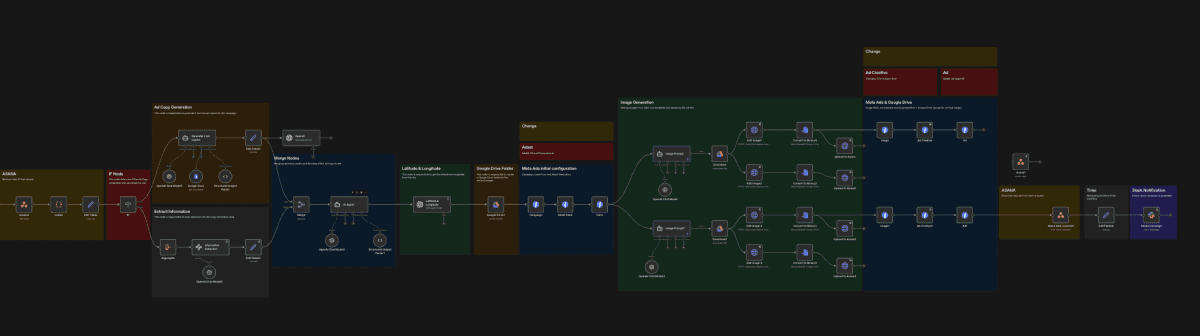
We were the very first agency to fully automate Meta Ads end-to-end. From the Asana ticket to the finished ad, in under 5 minutes.
AI as an intelligent data extractor
This is where the actual game-changer comes in: artificial intelligence. An AI model based on GPT-5 (for example, other models work too) analyzes the unstructured text of your invoices and precisely extracts the relevant information:
Company name
Service description
Invoice number
Invoice date (standardized format)
Net and gross amounts
Why is this so revolutionary? Because invoices in reality look completely different from one another. Every company has its own layout and its own structure. Classical code would hit its limits here. AI, on the other hand, understands the context and summarizes even complex service descriptions in a clear and comprehensible way.
Tailored prompts for perfect results
Through system prompts, you give the AI model precise instructions:
Which information should be extracted?
In what format?
In which language?
In what date format?
Particularly clever: the AI can also intelligently abbreviate long company names. It removes legal entity designations such as "GmbH" or "AG" and creates understandable short forms, without you having to manually define every individual case. The result is consistent, clear documentation that seems to create itself.
Intelligent folder structure: everything in its place
After data extraction, the workflow takes care of perfect filing. First it checks whether a folder for the relevant year already exists in Google Drive. The search function works with filters and limits so that only the appropriate folder is ever selected.
No year folder yet? No problem, it is created automatically. At the same time, the system creates an overview spreadsheet as a copy of a template that will capture all invoice data for that year. Every file is precisely documented to avoid duplicates.
Next comes the month level: the workflow checks whether a suitable month folder exists (e.g. "March" rather than "03") and creates it if needed. Small code snippets and dynamic variables ensure that month and year are correctly assigned. Folder IDs are continuously queried in real time so that all paths are correctly referenced.
File names by system: order for the long term
A further AI component ensures consistent file names. The rules are clear:
No spaces, only underscores
Company name abbreviated clearly (without legal entity designations)
Date appended in a fixed format
Examples: APEX_20251225 or APEX_AGENCY_20251225
You can predefine your own examples and the AI adapts to your preferred scheme. The result is a file system that remains easy to understand at a glance even years later.
The final step: upload and documentation
Once the file name is finalized, the invoice is downloaded again via HTTP request, a technical necessity when handling binary data. The PDF file then lands with its new, structured name in the appropriate month folder in Google Drive.
In parallel, the workflow adds all extracted information as a new row in the Google Sheet:
Company
Description
Invoice number
Date
Amount
Taxes
The highlight: a built-in hyperlink function links the invoice number directly to the PDF in Google Drive. One click and the invoice opens. No more searching.
Flexibility for every workflow
This automation solution is not rigid but adapts to your needs. Whether you prefer Slack, Microsoft Teams, or other services, the integration can be configured accordingly. Thanks to flexible AI prompts and cloud storage solutions, the system works with the most diverse invoice formats.
The complete workflow is available as a template in the premium community, where you will also find further support and training on legally compliant use of AI and automation.
Conclusion: the future of accounting is now
What used to mean hours of monotonous work is today handled by intelligent automation in minutes or even seconds, more precisely and reliably than by hand. This solution not only creates enormous time savings but also a clear, always-accessible document overview.
The focus shifts from manual document management to efficient, AI-supported process digitization. Your accounting team is relieved, your tax advisor is pleased with structured data, and you gain valuable time for the tasks that truly matter.
Anyone engaging with AI agents and automations like these today is perfectly positioned for the future. Start now and say goodbye to invoice chaos, for good.
Book your initial consultation now.
About APEX Consulting
APEX Consulting is an AI automation and growth consulting firm supporting B2B organizations with intelligent workflows, AI agents, CRM automation, and scalable operating systems. The firm focuses on practical, implementation-driven solutions that reduce manual effort and enable sustainable growth.
More information: https://apex-consulting.ai/