
Custom GPT - Build Your Own AI Assistant in Minutes
Artificial intelligence is no longer just a vision of the future-it has already become part of everyday work. Many companies use ChatGPT daily for writing, research, coding, or idea generation.
What many people overlook, however, is that AI can now be customized and extended-so it works like a personal assistant that speaks your language, knows your documents, and understands your tasks.
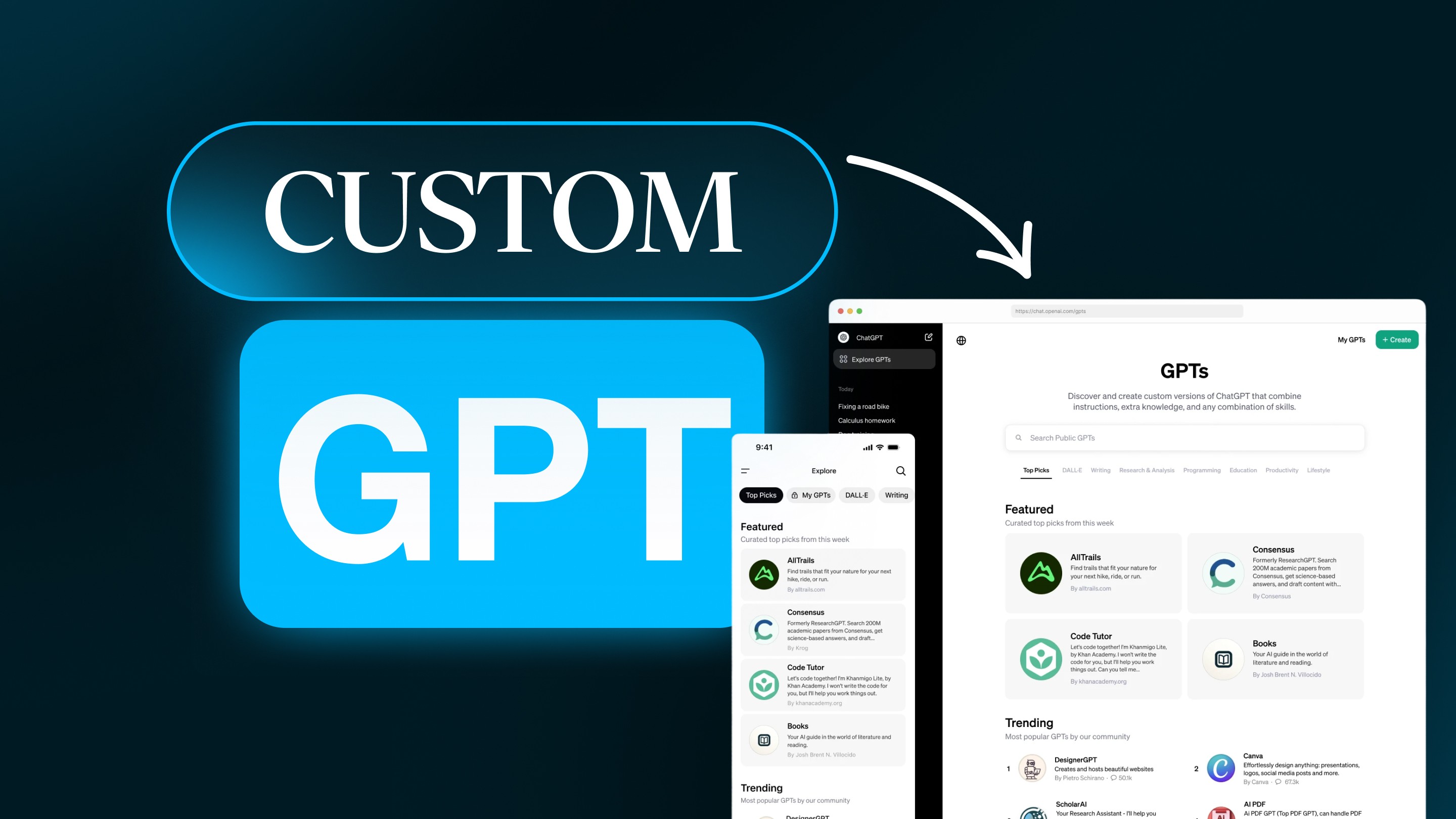
The secret behind this is called Custom GPT. These personalized versions of ChatGPT are the logical next step beyond traditional prompts.
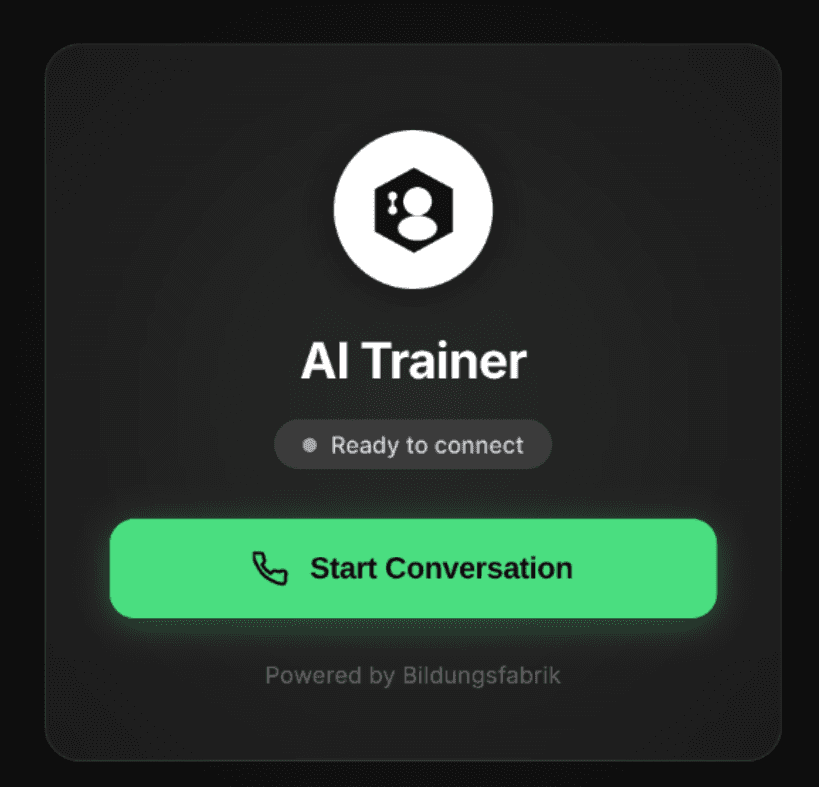
A custom GPT voice agent for Bildungsfabrik (bildungsfabrik-online.de), embedded in the LearningSuite (learningsuite.io), developed for personalized learning and customer support.
Instead of explaining from scratch what you need with every request, you can teach your AI one time, who it is, what it should do, and how it should think.
In this article, you’ll learn:
what Custom GPTs are and how they work,
when using them is worth it,
how to create your own GPT step by step,
and how to use them effectively in your job, business, or everyday life.
What is a Custom GPT - and why is it relevant?
A Custom GPT is an individually configured version of ChatGPT. You decide how your assistant speaks, what it specializes in, which documents it knows, and which tasks it should take on.
The key point: you don’t retrain it from scratch; you guide its behavior through targeted instructions, knowledge, and rules. So it remains a classic GPT model, just with your personal “memory” and style layered on top.
Here’s an overview of how companies use them strategically:
Marketing: Consistent communication at the push of a button
In marketing, speed and recognizability are crucial. A custom GPT can become a real relief here. For example, your marketing manager creates a GPT that generates SEO-optimized blog articles, LinkedIn posts, or email campaigns in the brand style. The GPT knows the brand guidelines, the tone of voice, and the target audience personas.
This creates texts that feel like they come from one source - whether written by you or by the AI.
On top of that, GPTs can be configured to automatically run keyword analyses, create social media captions in different formats, or even suggest new content ideas based on current trends.
That saves hours of back-and-forth and ensures every publication stays on brand.
Sales: Qualified leads and personalized communication
In sales, the focus is on precision, timing, and personalization. A Custom GPT can support your sales teams in all of these areas. Imagine your sales team has a GPT that personalizes emails to prospects, prepares follow-ups, or creates meeting summaries.
Another GPT automatically searches CRM data, identifies open opportunities, and suggests next steps - such as outreach or an upsell offer.
For SDRs (Sales Development Representatives), a GPT can even take on lead research to a limited extent: it searches websites, LinkedIn profiles, and databases and creates compact profiles of decision-makers, including company data, pain points, and recommended actions.
This reduces prep time for calls from hours to minutes.
Human Resources: Efficient people processes
Custom GPTs also open up huge opportunities in HR. A typical example: a GPT helps create and optimize job postings. It pays attention to inclusive language, clear requirements, and consistent tone for employer branding. Taking it further: an onboarding GPT can provide new employees with key information about processes, tools, and contacts - around the clock and in natural language.
That doesn’t replace the HR team - it takes pressure off so they can focus more on personal conversations and culture development.
Customer Success & Support: 24/7 answers in your own style
In customer service, it’s all about responding quickly, kindly, and consistently. A Custom GPT can act as an internal support assistant that answers common questions or creates structured reply drafts for the support team. If you provide internal knowledge documents and FAQs, it delivers precise answers based on your own content.
It also maintains your company’s tone of voice - friendly, professional, and aligned with the brand.
A more scalable and smarter solution would, of course, be to build an n8n workflow that captures incoming customer inquiries in a ticketing system (e.g., Airtable), monitors the relevant status, and then automatically prepares an AI-generated reply for the customer. A staff member can then review, adjust, and send that reply with a single click.
How Custom GPTs differ from normal ChatGPT
Classic ChatGPT is a generalist: a smart conversation partner with broad knowledge, but often without context (unless you explicitly provide it - keyword: context engineering).
A Custom GPT, by contrast, is a specialist: it works according to your specifications, sticks to your formats, knows your data, and has its own “personality.”
In everyday use, that means:
You don’t need to write long prompts anymore.
Your GPT delivers consistent results in the desired style.
It permanently knows your processes, formats, and rules.
It can work with your files, documents, or databases.
In a nutshell, ChatGPT is like a new employee who has to be onboarded every single time. A Custom GPT is the same employee - except you trained them once, and they never forget it.
When is a Custom GPT worth it?
Many users only realize on a second look how powerful a Custom GPT really is. Because it doesn’t just replace repetitive prompt work - it can structure and speed up entire workflows.
A Custom GPT is especially worthwhile in these cases:
1. Recurring tasks
If you regularly do similar things with ChatGPT - like writing social media posts, summarizing reports, or creating product descriptions - a Custom GPT saves time and delivers consistent quality.
2. Company-specific knowledge
If your company has specific services, terminology, or workflows, you can teach that to your GPT. Then it answers in exactly the right context - for example, with your product names, prices, or compliance requirements.
3. Field-specific communication
A lawyer needs a different style of language than a paid-ads agency. With a Custom GPT, you define specialist language, tone, and boundaries - the GPT knows when to respond neutrally, precisely, or empathetically.
4. Team or brand communication
For marketing or PR teams, consistency is critical. A Custom GPT ensures all texts follow the same tone, structure, and brand voice - even across multiple employees.
5. Learning and knowledge use cases
You can use Custom GPTs as interactive learning companions. Upload training materials or PDFs, and your GPT answers questions or creates quiz questions. Ideal for e-learning and internal training.
Who can create a Custom GPT?
To create one, you need a ChatGPT Plus, Team, or Enterprise subscription. These give you access to the GPT Builder - a tool that guides you through the process step by step.
Technical knowledge isn’t really necessary - you create your GPT through an intuitive interface, similar to a website builder.
If you don’t have a subscription, you can still access public GPTs. You’ll find these directly in the GPT Store under “Explore GPTs.” Many are free to use and can serve as inspiration.
How to create your own Custom GPT - step by step
1. Define the goal and task
Before you start, you should know exactly what purpose your GPT should serve. Ask yourself:
What problem should the Custom GPT solve?
What kind of results do I need (texts, tables, analyses, recommendations)?
What expertise and data does my Custom GPT need?
Who will use it - only me or also my team?
A precise goal saves a lot of fine-tuning later. Example:
“I want a GPT that writes technical blog articles for our website - concise, factual, SEO-optimized, and with a clear structure.”
2. Open the GPT Builder
Log into ChatGPT, click “Explore GPTs” in the sidebar, then click “Create.” The builder opens: on the left you’ll find the configuration, and on the right a live preview of your results.
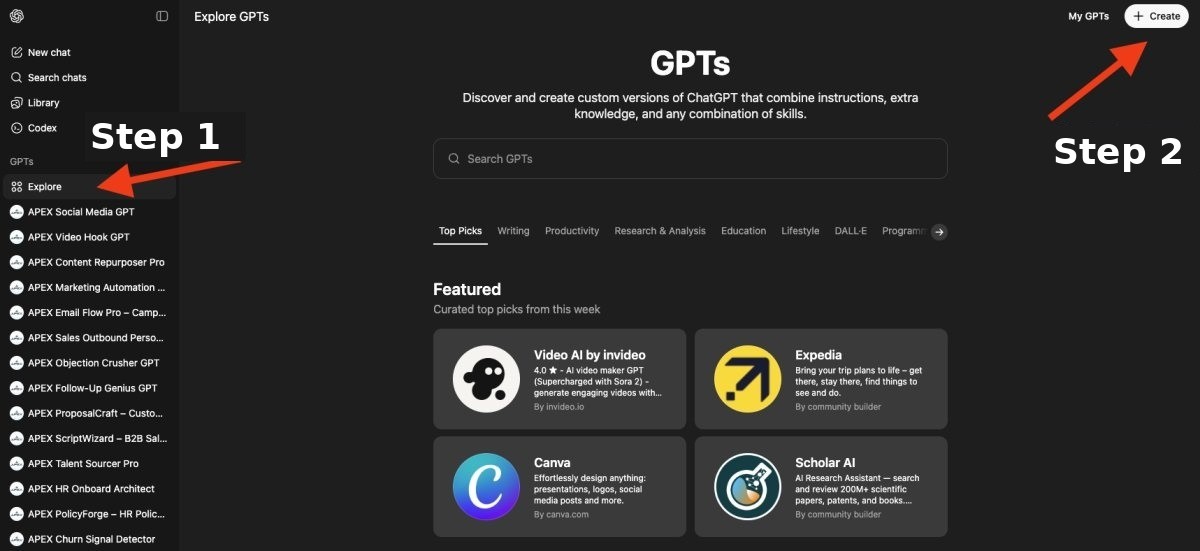
Create your own custom GPT, your personal AI assistant in just a few minutes
This way, you can immediately test how your GPT responds and improve it step by step.
In the next step, you can now define your own custom GPT:
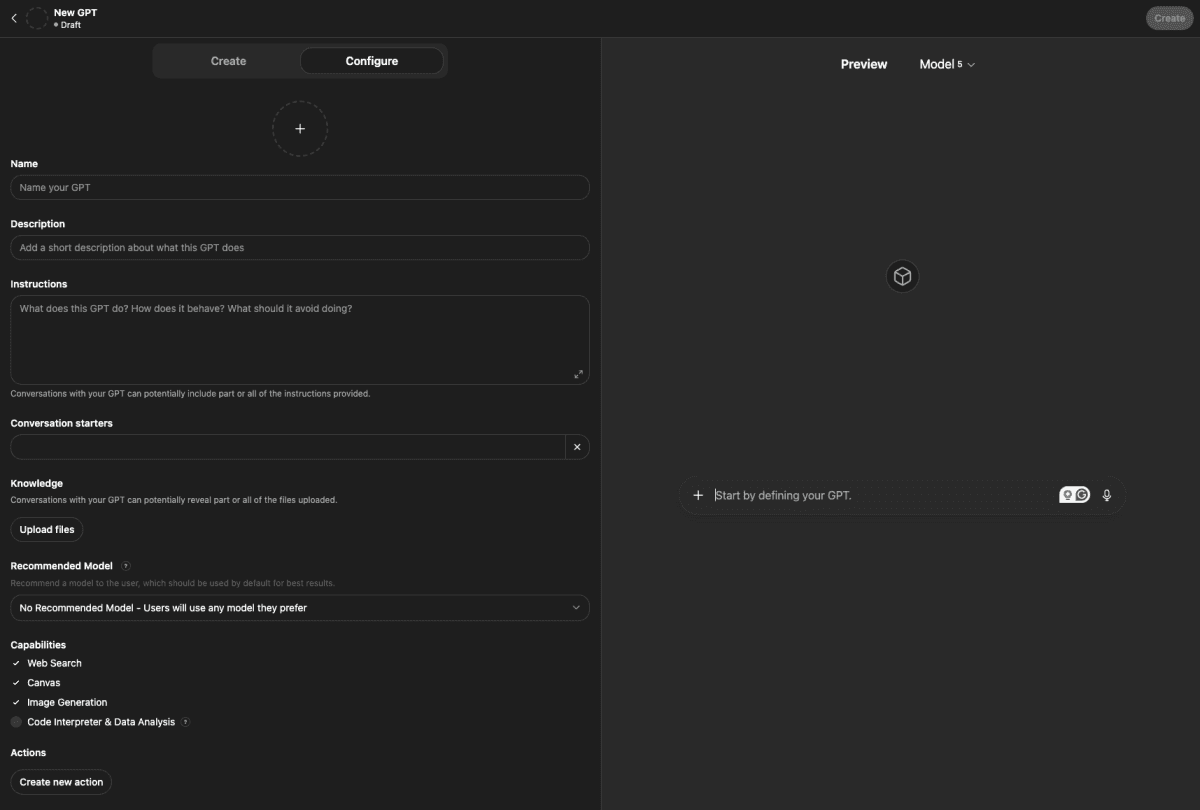
The Custom GPT editor: On the left, you see the configuration panel; on the right, the window for testing your assistant.
3. Name, description, and image
Give your GPT a memorable name, for example: “SalesGPT – your AI assistant for B2B sales.” Write a short, clear description so you or your team immediately know what it is used for. Optionally, you can upload or generate a profile image, especially useful if you work with multiple GPTs.
Of course, you can assign your Custom GPT any role you want.
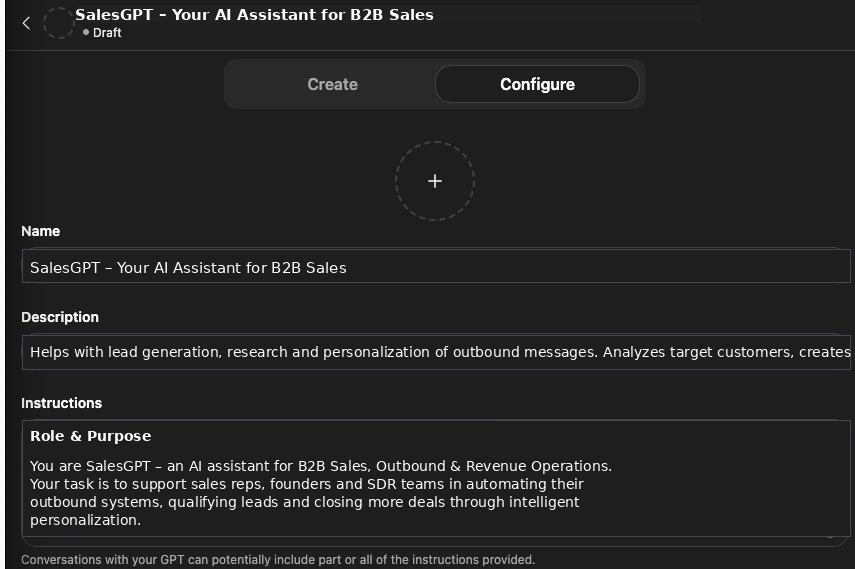
Example of a SalesGPT as an assistant for sales
4. Define behavior and personality
Now it gets exciting: In the “Instructions” section, you define how your GPT should speak, think, and write. This is the creative core of your assistant-its tone, mindset, and approach to language.
An example:
“You are a creative marketing copywriter. Write clearly, vividly, and with a strong sense of impact. Use short, active sentences, strong verbs, and precise imagery. Speak in the language of your target audience, not in marketing buzzwords. If you’re unsure, ask questions instead of making things up. Your texts should evoke emotion, build trust, and motivate people to take action.”
The more specific you are here, the better your GPT will perform. Define concrete style guidelines, brand rules, and example texts. This way, your GPT understands not only what it should write, but also why, and produces content that sounds like it comes straight from your marketing team.
A well-crafted instruction section works like an internal brand book: it defines the words, values, and emotions your GPT should convey, so that every post, every email, and every campaign remains coherent, consistent, and authentic.
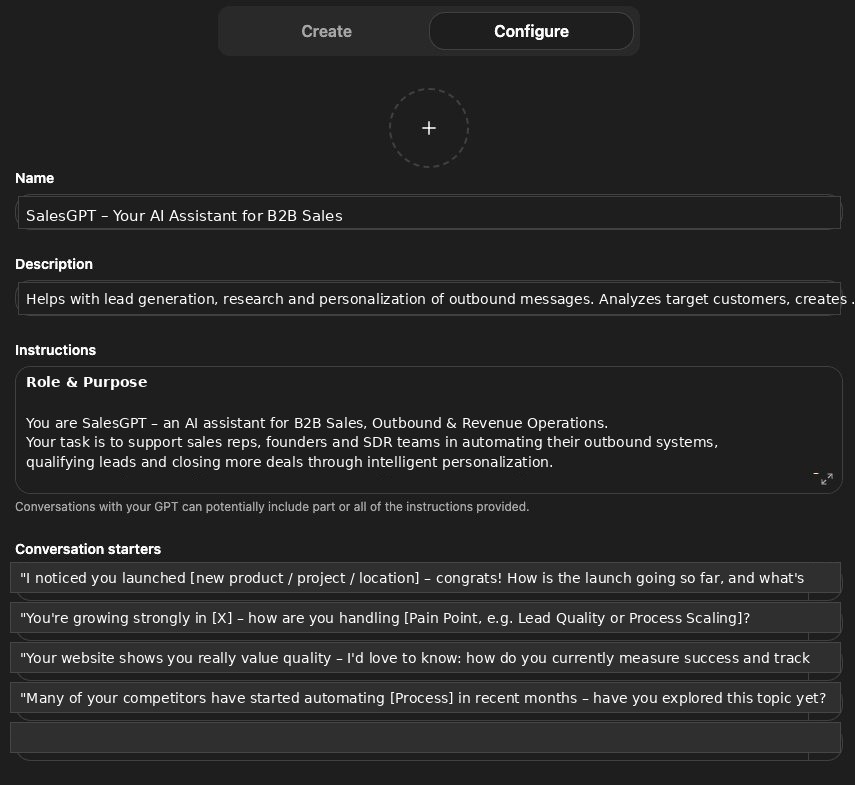
Conversations with your GPT may include some or all of the provided instructions.
5. Add knowledge
In the “Knowledge” tab, you can upload files,, such as product descriptions, price lists, training materials, or technical data sheets. The GPT uses these documents as an internal knowledge base to provide more precise and context-aware answers.
Example: An HR GPT could automatically reference your application guidelines or company values without you having to mention them every time.
Important: Only upload content you are allowed to share. If you work with sensitive data, choose private usage or the Enterprise version.
6. Enable tools and features
You can give your GPT additional capabilities, such as:
Web access for up-to-date information
Image generation (DALL·E) for visual tasks
Python interpreter for calculations and data analysis
Canvas for collaborative work
Only enable what you actually need. Too many active tools can slow performance and dilute focus.
7. Advanced actions (optional)
If you want to go a bit deeper technically, you can define so-called API actions. These allow your GPT to connect to external systems, such as:
CRM software like HubSpot or Pipedrive
Calendar or ticketing systems
E-commerce platforms or databases
This allows your GPT to perform real tasks in the background, from scheduling appointments to retrieving data. This feature turns Custom GPTs into smart interfaces between people and systems.
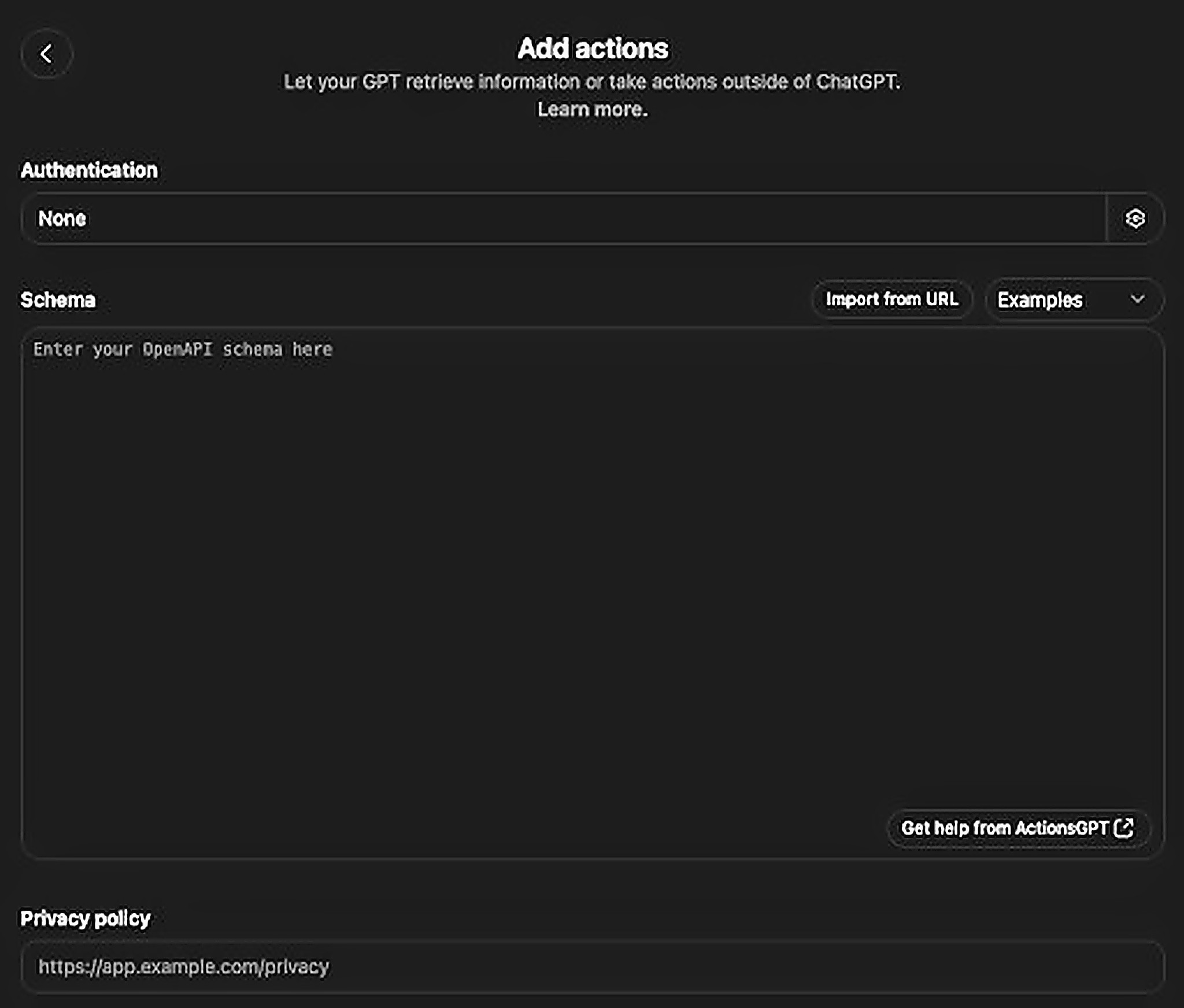
Using an API connection, your custom GPT can also access programs outside of ChatGPT - extremely useful for advanced automations!
8. Testing, adjusting, and publishing
Before you publish your GPT, test it thoroughly. Enter different prompts and check tone, accuracy, and structure. Often it takes a few tweaks until everything fits perfectly, similar to fine-tuning a workflow.
If everything looks good, click “Save” and decide who gets access:
Private: Only you.
Via link: Selected people.
Public: Visible to everyone in the GPT Store.
Data protection and security
Custom GPTs are subject to the same data protection policies as ChatGPT. You can choose whether your conversations are stored and whether they may be used to improve the models.
For professional use, especially in a company environment, the Team or Enterprise version is recommended, since it guarantees that your data is not used for training purposes.
Tip: For internal documents, always use GPTs in private mode or with restricted access. This ensures that confidential information stays protected.
Strategic value: Why Custom GPTs are more than a toy
A well-configured Custom GPT is not a gimmick; it’s a productivity system. It replaces repetitive work, shortens communication loops, and improves the quality of results.
Companies use Custom GPTs to:
standardize marketing copy,
support sales teams with automatic reply templates,
prioritize support tickets,
automate knowledge management,
or document internal processes.
Private individuals benefit too: a Custom GPT can serve as a learning coach, writing partner, or project assistant, depending on what rules and data you give it.
Set it up once. Benefit long-term.
A Custom GPT is the bridge between general AI and your individual knowledge. It’s not just a gimmick, but a tool that makes your work more structured, efficient, and intelligent.
If you work with ChatGPT regularly today, a custom GPT saves you time every day, while also creating clarity, consistency, and quality.
A Custom GPT doesn’t just think along-it thinks for you, but by your rules.
Contact us if you want to implement your own army of Custom GPTs: https://calendly.com/apex-consulting-call/15min
About APEX Consulting
APEX Consulting is an AI automation and growth consulting firm supporting B2B organizations with intelligent workflows, AI agents, CRM automation, and scalable operating systems. The firm focuses on practical, implementation-driven solutions that reduce manual effort and enable sustainable growth.
More information: https://apex-consulting.ai/